Open Source PlayStation 4 Emulator for PC
RPCS4 is an experimental multi-platform open-source PS4 emulator and debugger for Sony PlayStation 4 and PlayStation 5, developed in C++ for Windows, Linux, and macOS. The project's aim is to accurately emulate the PS4, leveraging the open-source community and reverse engineering. It uses advanced techniques such as dynamic recompilation and JIT compiling to interpret the PS4's complex architecture and instructions.

The PlayStation 4 to PC Transition
Extending PlayStation 4 Legacy with PS4 Emulator
The goal is to preserve the PlayStation 4's legacy and extensive game library while making it accessible on the PC platform. By supporting multiple operating systems and a wide range of computer hardware with reasonable requirements, we aim to accomplish this with PS4 Emulator.
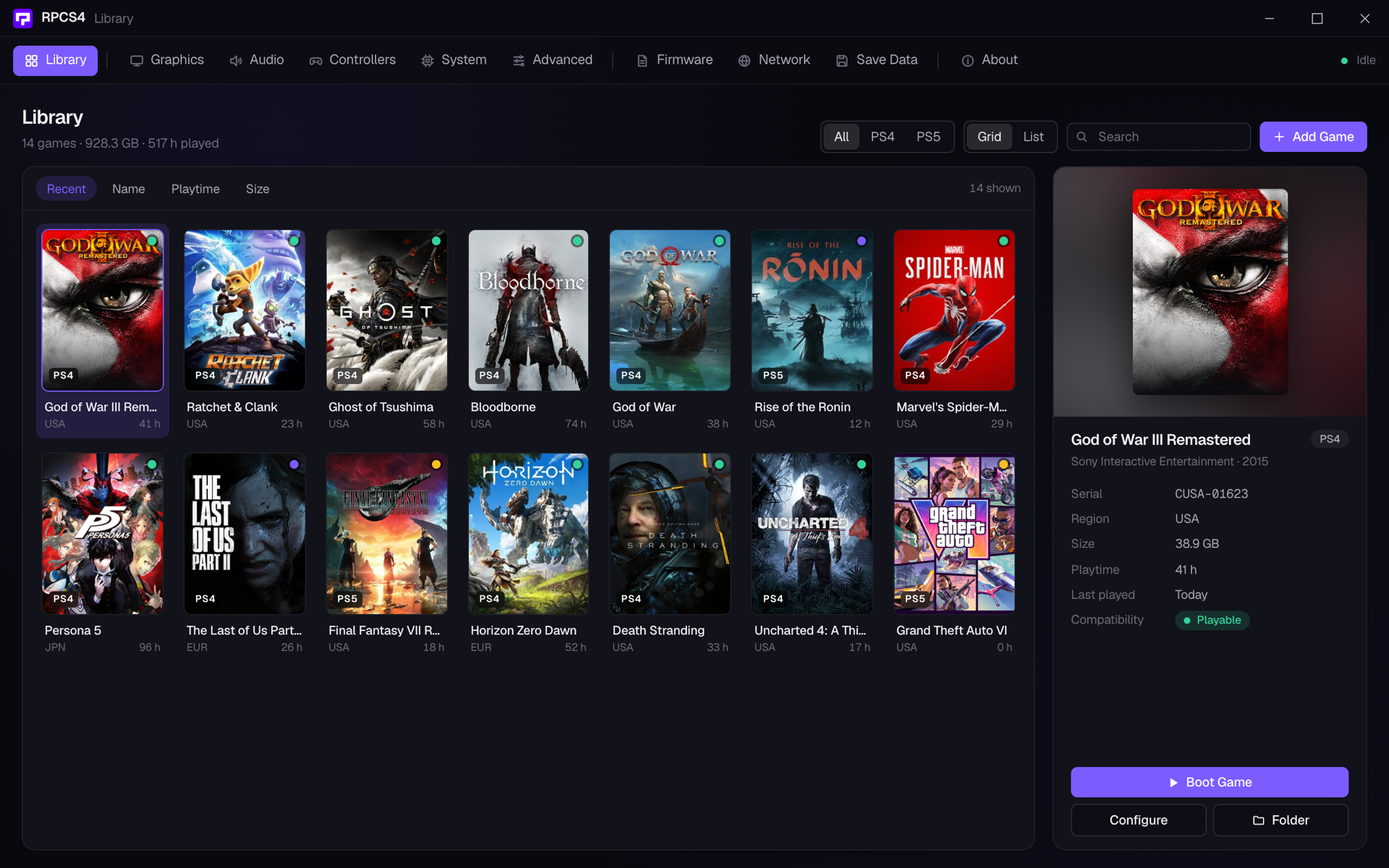
Successful game boot.
PS4 emulator successfully booting a AAA PlayStation 4 title. This significant development shows the potential of virtualized emulation, bringing your favorite PS4 games closer to modern PCs.
Enhanced Performance and Graphics.
Utilizing a PS4 emulator on a PC can drastically enhance both the performance and visual quality of PS4 titles. In comparison to the PS4, PCs frequently have hardware that is more powerful, allowing for higher-resolution rendering, better frame rates, and improved textures. Gamers can enjoy a smoother and more immersive visual experience while playing their favorite PS4 games.
Save States and Cheat Codes.
It offers features that include save states along with cheat code support which are not accessible on the console. There are also Save states, which enable players to save the game at any stage, are particularly helpful in some game sections. Cheat codes, on the other hand, can improve gameplay as well as make the game easier for players that like a more fun experience while playing.
Controller Customization.
Playing PlayStation 4 titles on a PC via an emulator enables a wider range of controller choices. Players can use numerous kinds of controllers, including Xbox controllers, custom controllers, or even a mouse and keyboard. This level of customization can improve the gaming experience, particularly for players that have preferences for specific types of controllers.
Modding Capability.
Popular games frequently have mods made by the modding community that add fresh content, fix bugs, or enhance graphics. Playing PS4 games on a PC via an emulator facilitates easier modding compared to doing so on the original hardware. This can drastically improve the features and gameplay of older games.
Game Recording and Streaming.
For recording or streaming gameplay online, PC platforms offer a wide range of software options. It is simpler for gamers to stream their gameplay on websites like Twitch or YouTube when they emulate PS4 games on their PCs. This is a major benefit for content creators and gamers who like to share live streams with others as well.
Unified Library.
Using a PS4 emulator on a PC allows gamers who play games on different platforms combine their game library on one platform. As a result, switching between games on various platforms becomes simpler without changing the hardware setup. In addition, it can serve as a way of backing up and maintaining your game library, ensuring for a more simplified and organized gaming setup.
Frequently Asked Questions
How can I get started using RPCS4 on my PC?
RPCS4 PS4 Emulator is in alpha and is currently under heavy development. Refer to the Quickstart Guide and documentation for detailed steps on how to begin using RPCS4.
How stable is RPCS4 in its current state?
RPCS4 is stable enough to boot and play a significant number of games. Stability varies by game and might be affected by updates and new features. We will release the first beta very soon. The development team is dedicated to maintaining and improving stability.
What input devices can I use with RPCS4?
RPCS4 supports keyboard and mouse inputs and native DualShock 4 and DualSense controllers, with plans to expand support for additional input devices in the future.
What PlayStation 4 peripherals can I use with RPCS4?
Currently, support for PlayStation 4 peripherals in RPCS4 is limited but expanding. Future updates are planned to include more devices.
Can I just insert a PlayStation 4 game disc and start playing?
Directly reading game data from PlayStation 4 discs is supported by RPCS4 but You'll need to install your game files with a compatible Blu-ray drive. The Quickstart Guide provides details on compatible drives.
Where do I get PlayStation 4 games?
Only original PlayStation 4 disks can be used with a compatible Blu-ray disc drive. This method is the safest way to run your games on a PC.
How do I dump PlayStation 4 games and software?
You cannot dump PlayStation 4 games or pkg using a Blu-ray drive. For instructions on this process, please consult the Quickstart Guide. To avoid illegal activities, running games from dumped PKGs is not implemented in the emulator.
Can I play multiplayer games online with real consoles or other RPCS4 users?
Online multiplayer functionality is currently not supported. Full integration, including play with real PlayStation 4 consoles, requires significant development and is not a primary focus until RPCS4 reaches greater stability and accuracy.
Can I play local multiplayer games with RPCS4?
Local multiplayer is fully supported in RPCS4, allowing up to 4 controllers at once, similar to the original PlayStation 4 hardware. Various controller configurations are supported.
Can I import my saved data from my real PlayStation 4?
Save data from a real PlayStation 4 can be transferred to RPCS4 using a USB flash drive. Some saves may require re-signing due to the PlayStation 4's user account system. This feature will be rolling out soon. For more on managing saves, see the Quickstart Guide.
Why focus on developing game X instead of game Y?
The RPCS4 team's goal is to improve the emulator as a whole rather than focusing on specific games. All games benefit from updates to the emulator, aligning with the goal of creating an accurate PlayStation 4 emulator without game-specific hacks.
Where can I submit issues, feedback, and comments?
Submit through our GitHub Issue Tracker for development-related issues or the Forums for general inquiries and discussions. Ensure your submissions follow the guidelines outlined for reporting issues.
Can I run pirated games?
No, you cannot run pirated games. We have a strict policy against piracy. We firmly believe in protecting the intellectual property rights of game developers and publishers. Please buy original games and support their developers.
Legal Disclaimer
RPCS4 (PS4 Emulator) is not meant for illegal activities, and we have a strict policy against piracy. All resources are obtained via reverse engineering of legally owned devices, games, and information present on the internet. The main objective of this project is to enhance the gaming experience, research, and provide education about the core concepts of device emulation.